
Student portal
Give students a clear place to find their information.
Help students check their records and keep up with institutional updates through a dedicated portal. Reduce repeated enquiries by making frequently requested information easier to access.
Fewer repeated enquiries
Balances, statements, timetables and results are available any time.
Works on any phone
The portal runs in the phone's browser and can be installed on the home screen like an app.
Kept up to date
Students see announcements and get notifications when something changes.
Student portal
Student profile
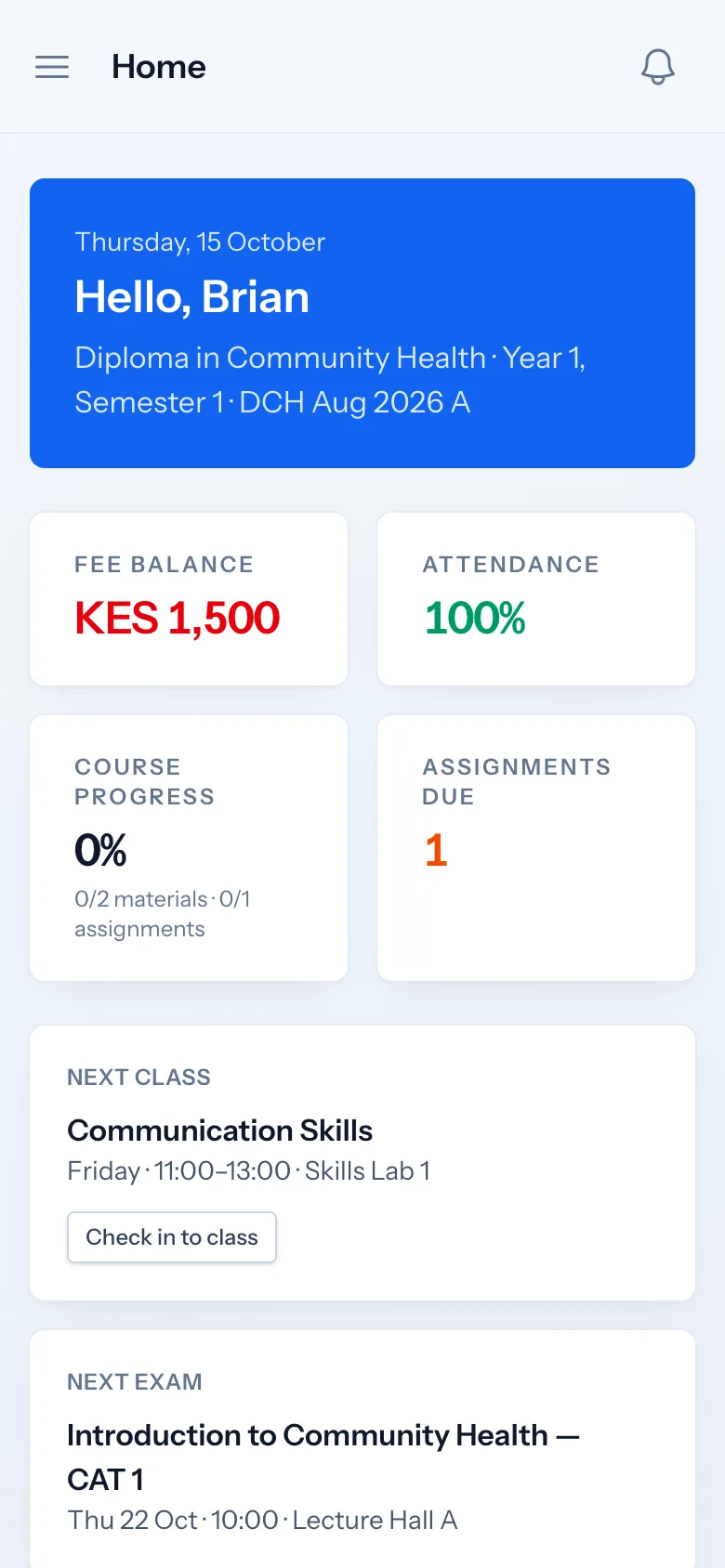
Students see their programme, class, year and semester on the home screen, with their fee balance, attendance, course progress and next class.
- Programme, class, year and semester
- Fee balance and attendance at a glance
- Next class and next exam
- Assignments due
Student portal
Fee statements
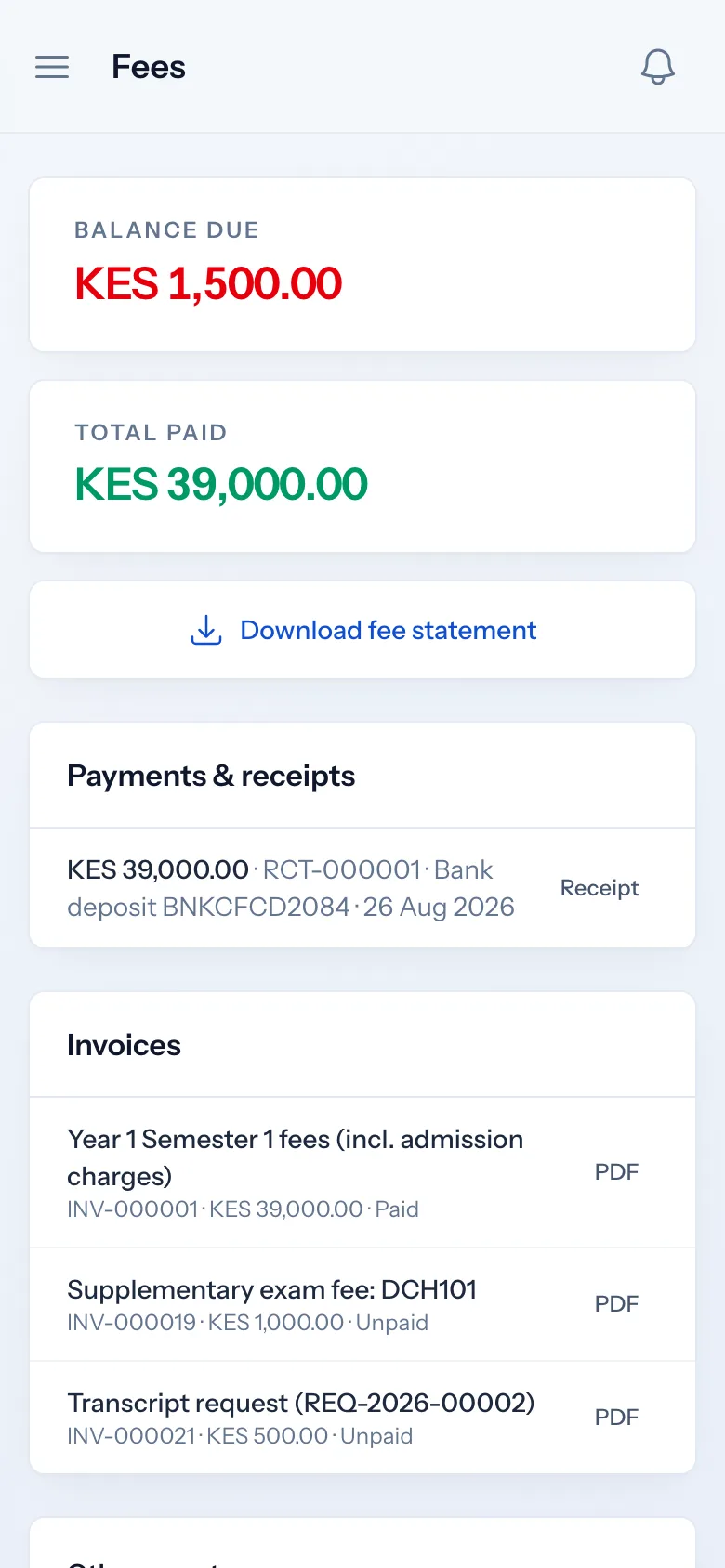
Students see every invoice and payment, download receipts and their fee statement, and can pay by M-PESA or card where the institution has set it up.
- Invoices and receipts as PDFs
- Downloadable fee statement
- M-PESA payment prompt and card payments
Student portal
Published results
Once results are approved and published, students see them per unit and download their transcript. Students on CBET programmes see their competency progress.
- Results per unit after publication
- Transcript download
- Competency progress for CBET students
Student portal
Announcements and timetable
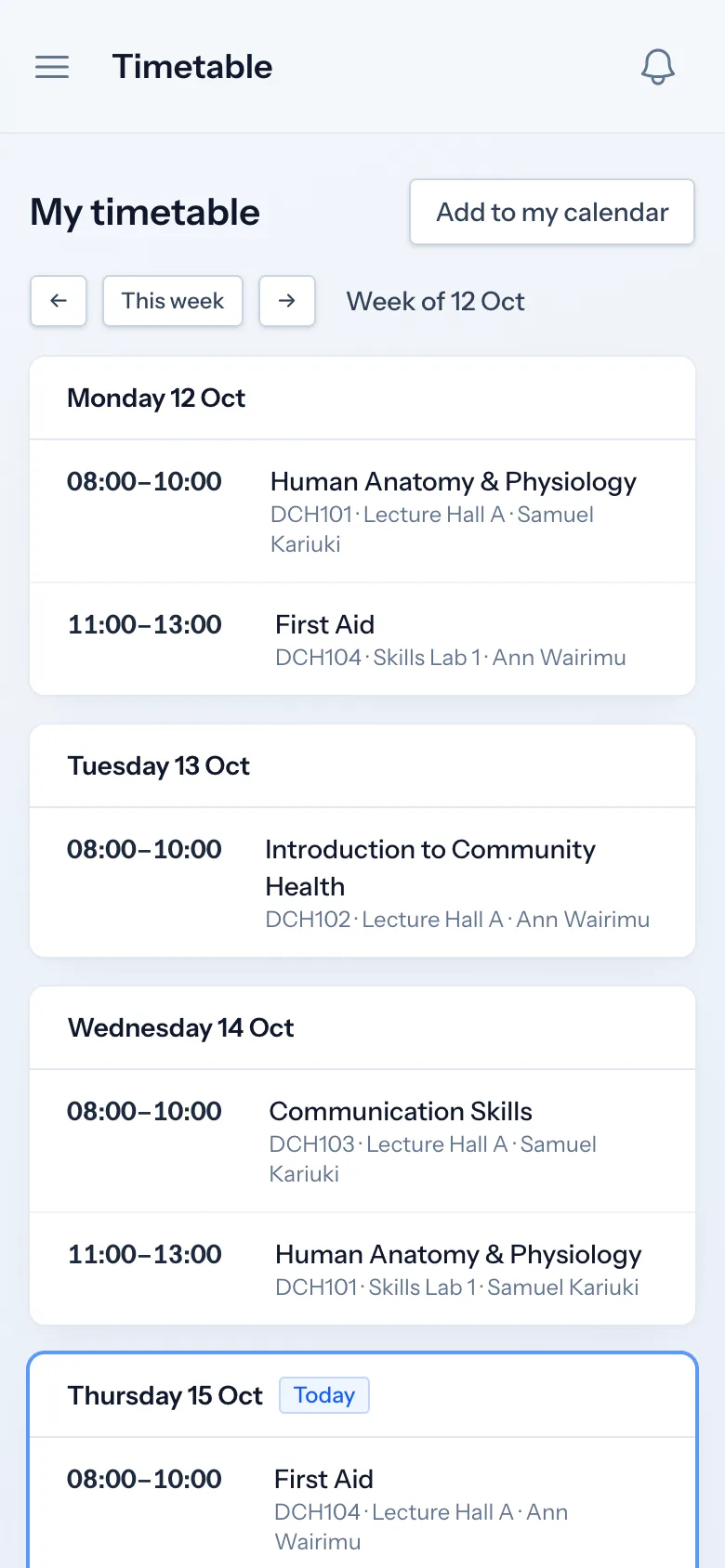
Institutional announcements appear in the portal, and students get notifications on their phone. The weekly timetable shows lessons, rooms and changes.
- Announcements from the institution
- Phone and browser notifications
- Weekly timetable with a calendar subscription
- QR check-in to class
Student portal
Available downloads and requests
Students download their documents and certificates, and request transcripts, letters and deferment through the portal, following each request's progress.
- Their uploaded documents and issued certificates
- Requests such as transcripts, introduction letters and deferment
- Learning materials, assignments, quizzes and online classes
- Library loans, events, surveys and help articles
Student portal
Account access and password recovery
Students receive an activation link when they are admitted and set their own password. They sign in with their student number or email, and reset a forgotten password by email.
- Activation link on admission
- Sign in with student number or email
- Self-service password reset by email
- Portal access can be switched off for a student by staff
How it works
Student portal, step by step
-
1
Activate
Students set their password from the activation link sent on admission.
-
2
Install
They add the portal to their phone's home screen and allow notifications.
-
3
Use
Check fees, results, timetable and announcements, and make requests.
Who uses it
Built for everyone involved
Students
Use the portal for their records, fees, learning and requests.
Finance offices
Answer fewer balance questions and receive payments.
Registrars
Handle requests through the portal.
FAQ
Questions about Student portal
Do students need to download an app?
No. The portal works in any phone browser and can be added to the home screen like an app, with notifications.
How do students get their login?
When a student is admitted, Soma360 creates their portal account and sends an activation link to set their password. Students without an email can be given a temporary password by staff.
What if a student forgets their password?
They reset it themselves from the sign-in page using their email address.
Can the portal carry our branding?
Yes. It shows your institution's name, logo and colour, and on the Enterprise plan it can run on your own domain.
Works together with
Related features
Fees & payments
Fee structures, invoices, payments, receipts, balances and collection reports.
Learn moreExaminations & results
Assessments, marks entry, grading, moderation, approval and transcripts.
Learn moreAttendance management
Class registers, QR check-in, absence history and attendance reports.
Learn moreSee how Soma360 fits your institution
Tell us how your institution works and we will focus the demo on your records, departments and workflows. Prefer to explore alone? Start a 30-day free trial.