
Soma360 for colleges
Keep your college's departments working from connected records.
Managing multiple programmes and intakes takes coordination. Soma360 brings student administration, financial records and academic operations into one workspace for your college team.
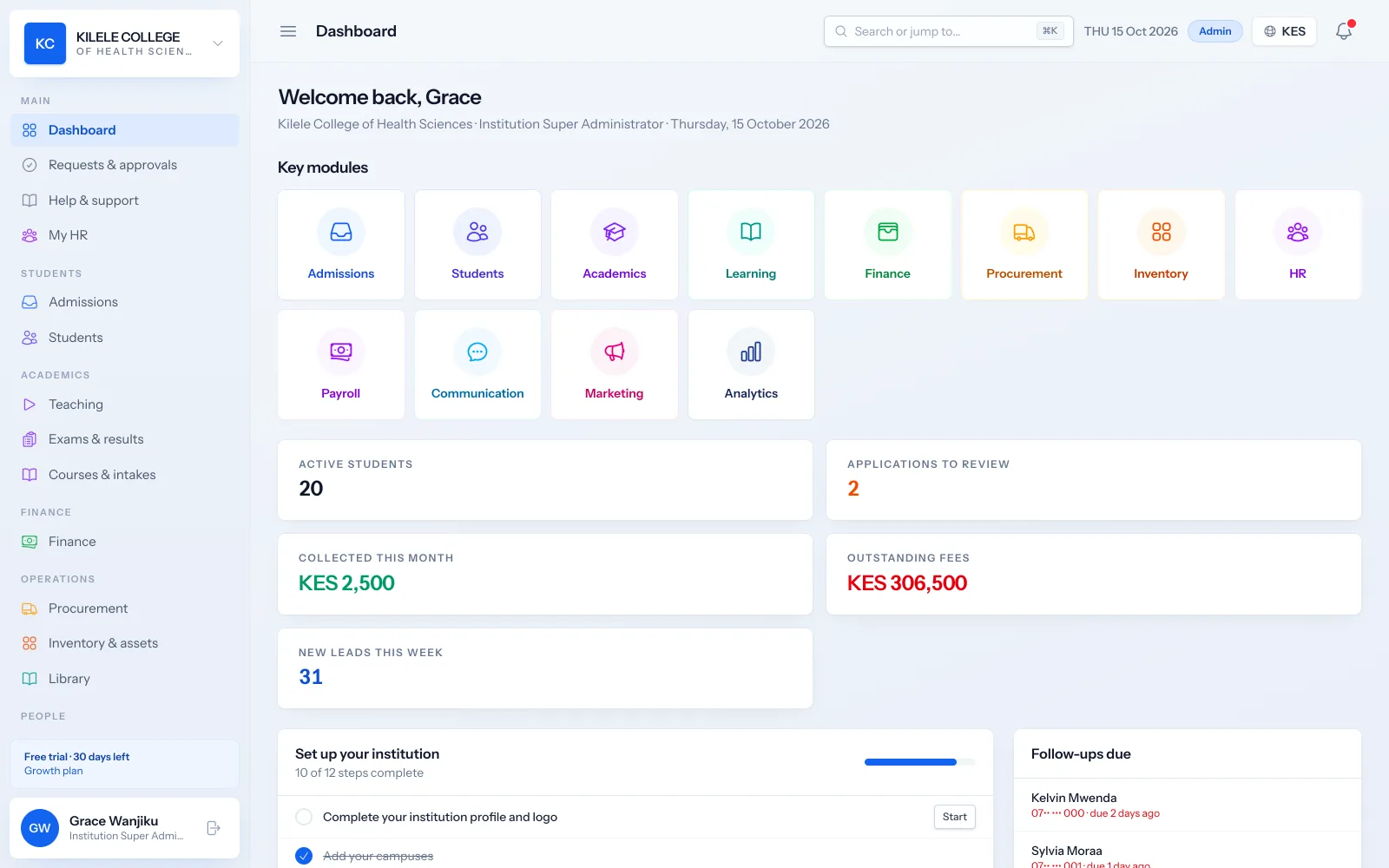
Managing several intakes
Colleges often run January, May and September intakes across several programmes at once. Each intake has its own courses, classes, fee structures and reports, so nothing gets mixed up.
Read about Student records- Intakes with start dates and the courses they offer
- Classes per course and intake, with their own timetables
- Fee structures per course and intake
- Enrolment and revenue reports by intake
Moving applicants into registered student records
Applications arrive online or at the front desk. Approving an applicant creates their student record, admission number, portal account, first invoice and admission letter in one step.
Read about Admissions management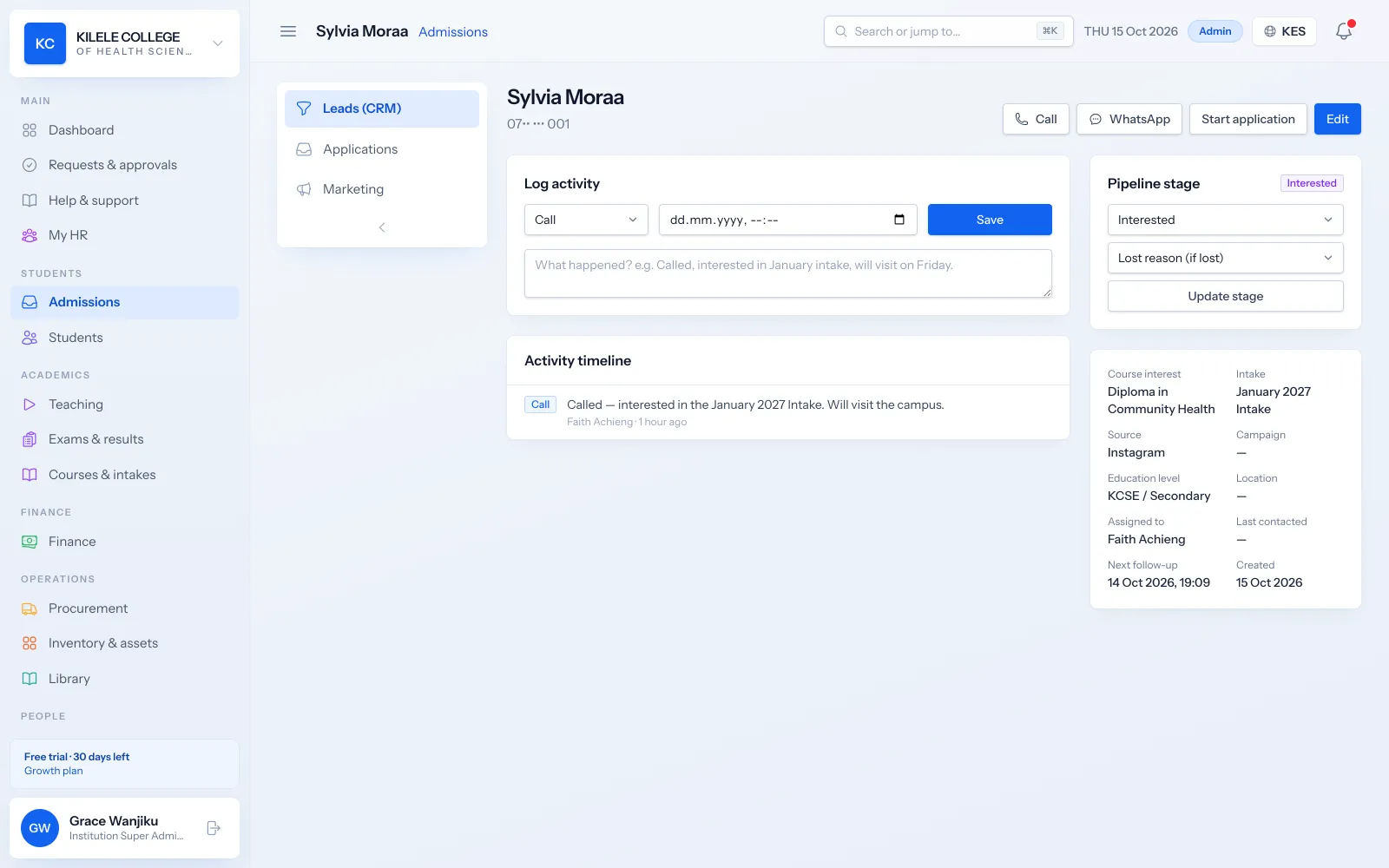
- Online applications with document uploads
- Review statuses and missing-document checks
- One-step admission into a full student record
Coordinating admissions and finance
Admissions and finance work from the same records. Finance sees each new student's first invoice as soon as they are admitted, and admissions can see who has paid.
Read about Fees & payments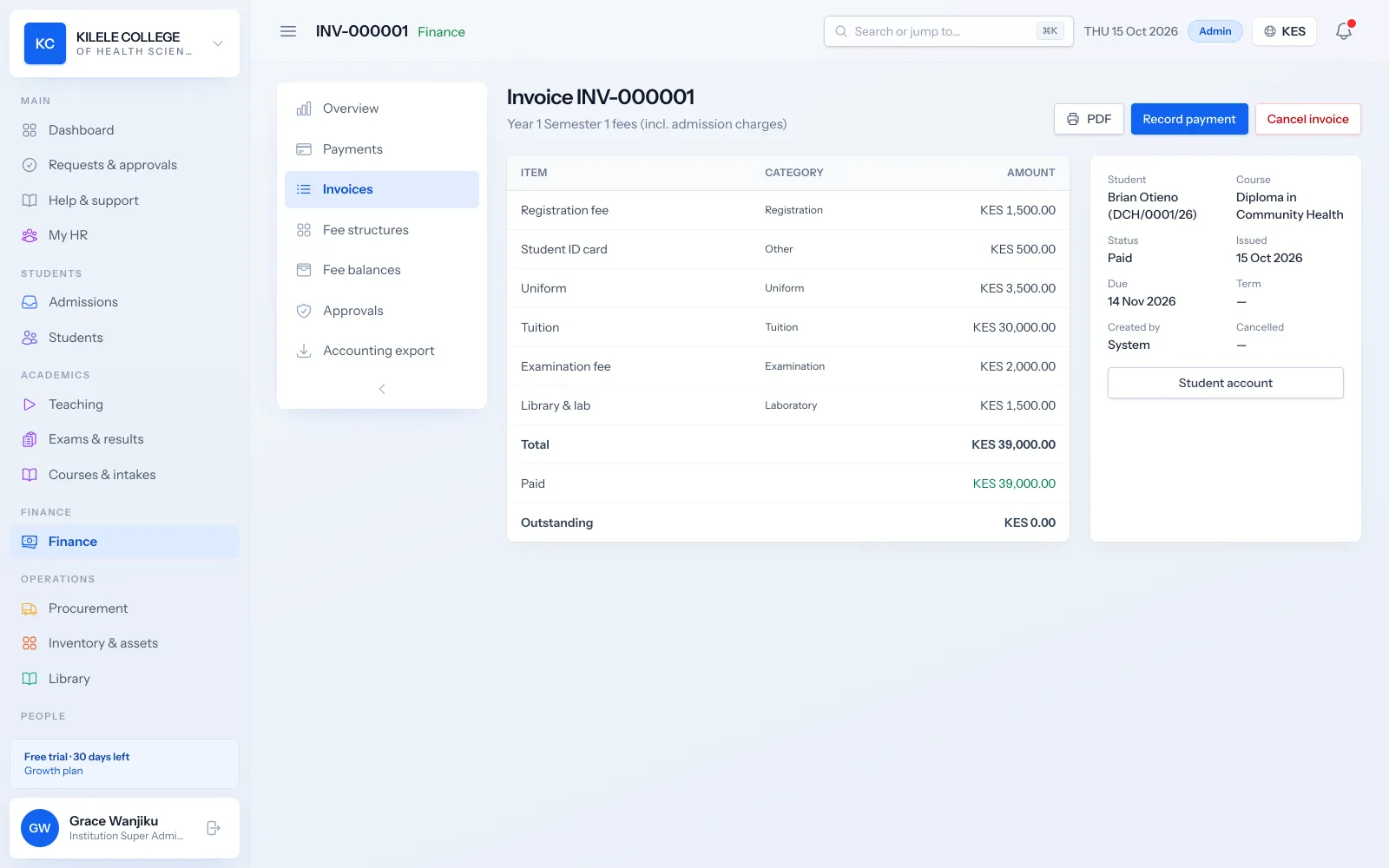
- First invoice raised automatically on admission
- M-PESA payments matched by admission number
- Fee balances visible on the student record
Reviewing student progress
Attendance, marks and results build up on each student's record, and students see their own progress in the portal.
Read about Examinations & results- Attendance per lesson with QR check-in
- Weighted assessments, moderation and approval
- Published results and transcripts
Giving management useful reports
Principals and directors see enrolment, collections, outstanding fees and academic results without waiting for spreadsheets.
Read about Reporting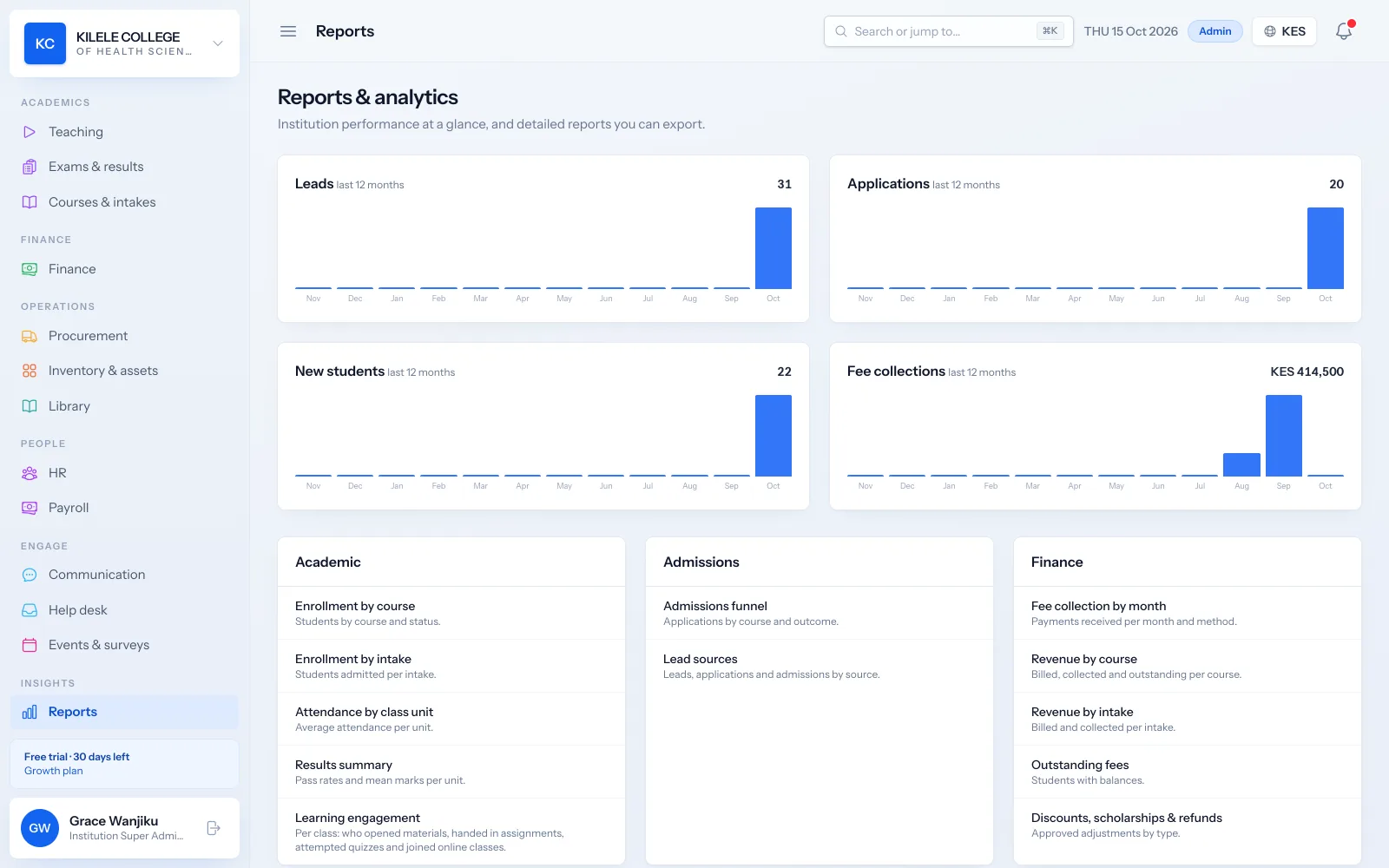
- Dashboard with students, applications, collections and leads
- Reports by date range with CSV export
- Campus comparison for multi-campus colleges
Example
Example: one student's journey through Soma360
A realistic walk-through with a made-up student, showing what happens in Soma360 at each step.
-
1
Enquiry
Mercy messages the college's WhatsApp number about the Diploma in Community Health. Her number is added to leads and an admissions officer follows up.
-
2
Application
She applies online for the January intake, uploads her KCSE certificate and ID, and receives an application number.
-
3
Admission
The registrar approves her application. Soma360 creates her student record and admission number, raises her first invoice and emails her admission letter.
-
4
Payment
Mercy pays by M-PESA using her admission number. The payment is matched, receipted and her balance updates.
-
5
Studies
She checks in to classes by QR code, learns from materials in the portal and sees her results once they are published.
-
6
Completion
When her fees are cleared and units passed, the registrar issues her certificate with a QR verification code.
Modules
The parts of Soma360 you will use most
Admissions management
Online applications, documents, review, admission decisions and enrolment.
Student records
Student profiles, programme details, documents, academic history and status.
Fees & payments
Fee structures, invoices, payments, receipts, balances and collection reports.
Attendance management
Class registers, QR check-in, absence history and attendance reports.
Examinations & results
Assessments, marks entry, grading, moderation, approval and transcripts.
Student portal
Profile, fee statements, results, announcements, downloads and requests.
Good to know before you choose
- The application form's fields are the same for every institution; you choose which courses, campuses and intakes are open.
- Individual payment plans with their own due dates per student are not a separate feature; fees are billed in stages from the fee structure.
FAQ
Common questions
Can we run several campuses?
Yes. Campuses are part of every record, campus administrators can be limited to their campus, and the campus comparison report compares them. The number of campuses depends on your plan.
How long does it take to get started?
It depends on how many programmes and records you have and how clean your data is. See the implementation page for the steps and what your team prepares.
Can we try it first?
Yes. Book a demo to see it with your workflow, or start a free 30-day trial.
See how Soma360 fits your institution
Tell us how your institution works and we will focus the demo on your records, departments and workflows. Prefer to explore alone? Start a 30-day free trial.